Naglé

Pinpointer

A browser extension that captures elements, text and pages as context for AI. Point at anything on any website, add a note, and copy it all as one JSON.
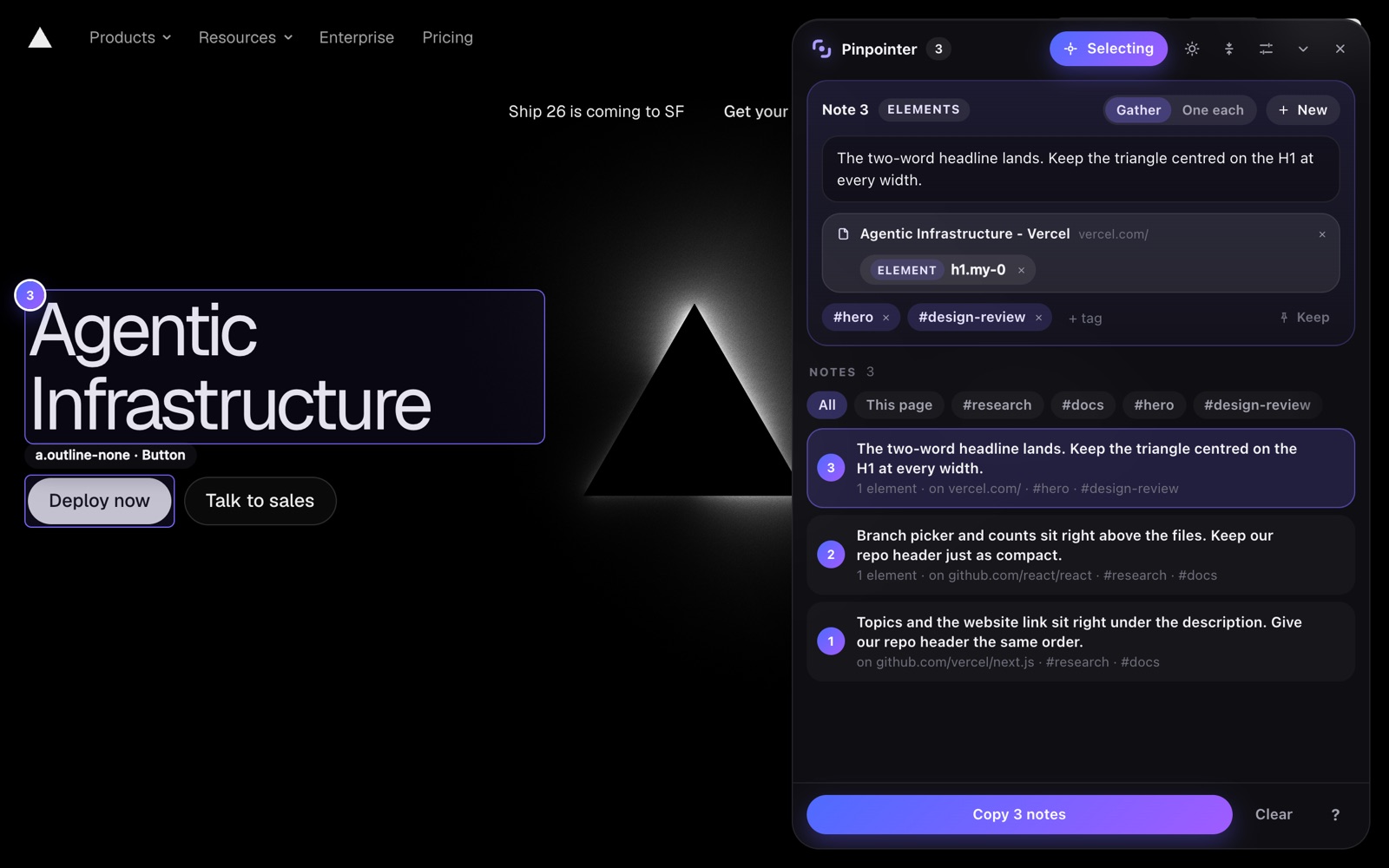
Pinpointer selecting a headline on a web page, with its note window open

Overview

What is Pinpointer?

Instead of describing to your AI which button, heading or section you mean, you point at it. Pinpointer records exactly what you picked, with its selector, HTML, styles and page, so your assistant can change the right thing or look it up.

Features

  • Point at elements, drag over an area, select text or link a whole page
  • One note links many things, across pages, sites and tabs
  • Tags, search and filters that stay fast with hundreds of notes
  • Copies one JSON with selectors, HTML, styles, image URLs and page details
  • A shortcut for everything, every one of them yours to change
  • Everything stays in your browser; nothing is sent anywhere

How it works

Four steps, from looking at a page to handing your AI the exact context.

01

Point

Turn Pinpointer on and click what you mean: an element, an area you drag, a piece of text, or the whole page.

02

Note

Write what you want done or what you noticed. Everything you link lands on the same note, grouped by the page it is on.

03

Tag

Give notes your own tags, so you can find and filter them later, across every site you work on.

04

Copy

Copy your notes as one JSON and paste it into Claude, ChatGPT or any other assistant.

Privacy

Your notes stay with you

Pinpointer keeps everything in your browser and sends nothing anywhere. It runs on no page while it is switched off.

Privacy policy